
Tips for Creating a Cozy and Functional Home Workspace

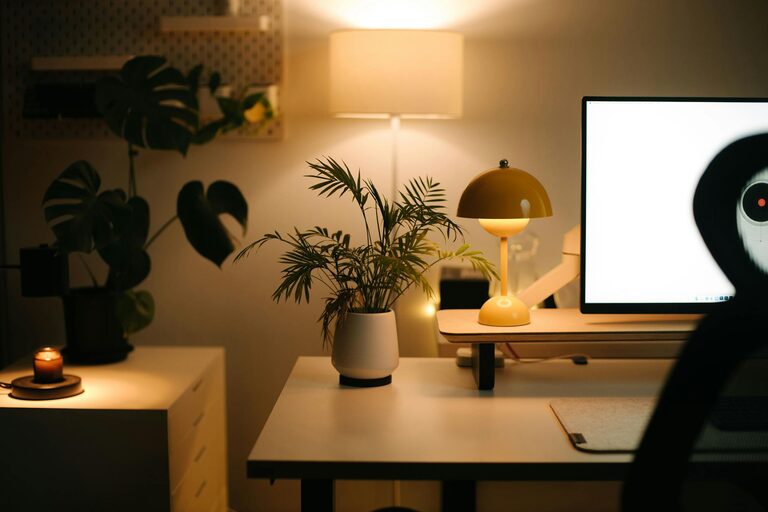
Creating a cozy and functional home workspace is essential for anyone working or studying from home. A well-designed area can boost your productivity, reduce stress, and help maintain a healthy work-life balance. Whether you have a dedicated room or a small corner, the following tips will help you set up a space that feels both welcoming and practical.
1. Choose the Right Location
Selecting the right spot for your workspace is the first step. Ideally, pick a quiet area with minimal distractions. Natural light is a huge plus, so try to position your desk near a window if possible. If space is limited, find a corner that can be easily separated from the rest of your living area.
2. Invest in Comfortable Furniture
Comfort plays a big role in how productive and focused you’ll be. Choose an ergonomic chair that supports your posture and a desk with enough surface area to hold your essentials without feeling cluttered. Adjustable desks that allow you to alternate between sitting and standing are also worth considering.
3. Optimize Lighting
Good lighting reduces eye strain and creates a pleasant atmosphere. Aim for a mix of natural and artificial light. A bright overhead light combined with a task lamp focused on your work area is ideal. Warm or neutral light bulbs tend to create a cozy ambiance without being too harsh.
4. Keep Your Workspace Organized
Clutter can be a distraction. Use organizers, shelves, and drawers to keep supplies neatly arranged. Cable management solutions will prevent wires from tangling and provide a cleaner look. Consider adding a bulletin board or whiteboard to keep important notes visible and within reach.
5. Personalize Your Space
Adding personal touches makes your workspace feel inviting. This could include artwork, plants, or photos that inspire you. Greenery not only enhances aesthetics but also improves air quality and can boost your mood. However, avoid overcrowding the area — keep it simple and purposeful.
6. Use Technology Wisely
Equip your workspace with the necessary technology tools to work efficiently. A reliable computer, high-speed internet, quality headphones, and other essentials should be within easy reach. Use wireless devices to reduce clutter and make your setup more flexible.
7. Control Noise and Distractions
If you’re in a noisy environment, consider noise-canceling headphones or white noise machines. Creating clear boundaries with family members or roommates about your working hours can also help minimize interruptions.
8. Maintain Good Air Quality and Comfort
Proper ventilation and comfortable room temperature are important for focus and well-being. Open windows when possible, use fans or air purifiers if needed, and dress in layers to adjust to temperature changes easily.
9. Take Breaks and Move Around
Set reminders to stand, stretch, or walk briefly during your workday. This prevents fatigue and keeps energy levels up. Having enough space to move around within or near your workspace supports physical health.
10. Keep It Flexible
Your needs may change over time, so design your workspace to be adaptable. Modular furniture or multi-purpose storage can allow you to adjust your setup as necessary.
—
By following these tips, you can create a home workspace that supports productivity while feeling comfortable and cozy. The key is to balance functionality with personal comfort, creating a space where you enjoy spending time and can focus effectively.