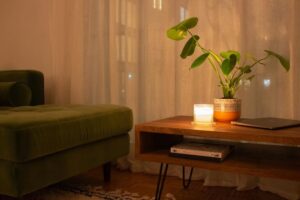
Tips for Creating a Productive Home Workspace

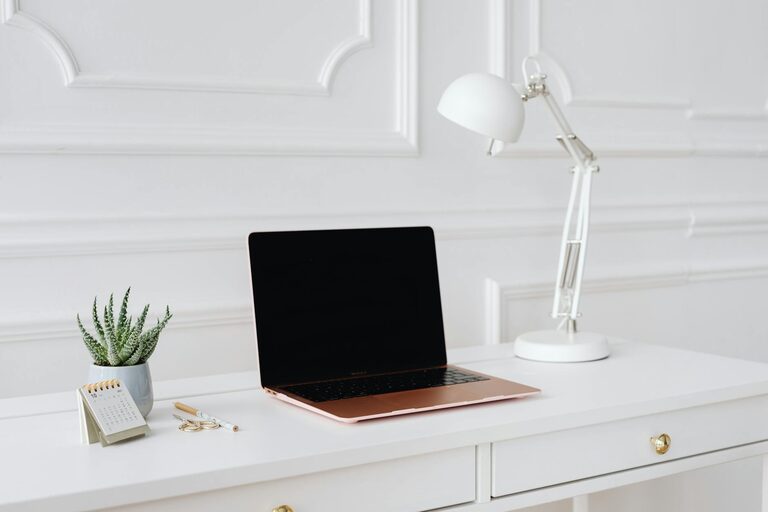
Setting up a productive home workspace is more important than ever as many people find themselves working remotely or juggling multiple tasks from home. A well-designed space can help you stay focused, reduce stress, and improve your overall work efficiency. Whether you have a dedicated room or just a small corner to work with, these tips will guide you in creating an environment that supports productivity and well-being.
Choose the Right Location
Consider Natural Light
One of the best ways to enhance your workspace is to position it near a window if possible. Natural light helps reduce eye strain and can improve your mood and energy levels throughout the day. Avoid glare on your computer screen by placing your desk at a right angle to the window rather than directly in front or behind it.
Minimize Distractions
Select a quiet area in your home away from high-traffic zones or noisy appliances. If space is limited, noise-canceling headphones or a white noise machine can help create a more focused atmosphere.
Invest in Comfortable Furniture
Ergonomic Chair and Desk
Spending hours working means you need furniture that supports your body. An adjustable ergonomic chair with good lumbar support will help prevent back pain and encourage good posture. Pair it with a desk at the proper height to keep your arms at a comfortable angle while typing.
Adjustable Desk Options
If you prefer variety, consider a sit-stand desk that allows you to alternate between sitting and standing. This can reduce fatigue and promote better circulation.
Organize Your Supplies and Equipment
Declutter Your Workspace
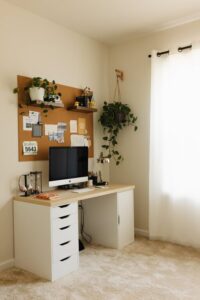
Keep only essential items on your desk to avoid feeling overwhelmed. Use drawers, shelves, or organizers to store documents, stationery, and gadgets neatly.
Use Cable Management Tools
Tidy cables create a clean look and reduce the risk of accidents or damage. Cable clips, sleeves, or trays can help keep wires organized and out of the way.
Enhance Lighting
Supplement Natural Light
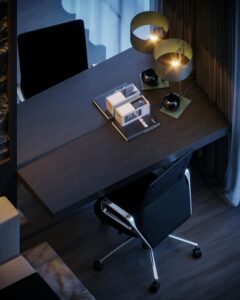
If your workspace lacks natural light or you work during evenings, use a good quality desk lamp with adjustable brightness. Soft, warm light reduces eye strain and creates a cozy work environment.
Avoid Harsh Overhead Lighting
Strong fluorescent lights can cause headaches or fatigue. Aim for indirect, diffused lighting that balances your space.
Personalize Your Space
Create an Inspiring Environment
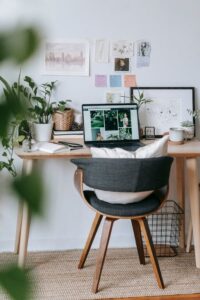
Adding personal touches such as plants, artwork, or motivational quotes can make your workspace more inviting. Plants also improve air quality and add a calming effect.
Maintain a Professional Feel
While personalization is encouraged, keep it balanced to avoid distractions. Choose items that uplift without cluttering your desk.
Establish a Routine
Define Your Work Hours
To boost productivity, set specific work hours and stick to them. This helps separate your professional and personal life when working from home.
Take Regular Breaks
Incorporate short breaks to stretch, hydrate, and move around. This prevents burnout and keeps your mind fresh.
Use Technology Wisely
Reliable Internet and Equipment
Ensure your internet connection is stable and your computer hardware meets your work needs. Technical issues can disrupt your workflow and cause frustration.
Utilize Productivity Tools
Apps for task management, calendars, and communication can streamline your tasks and keep you organized.
Keep Your Workspace Clean
Daily Tidying Habits
Take a few minutes each day to clear your desk and file papers. A neat space enhances focus and reduces stress.
Deep Cleaning Weekly
Wipe down surfaces, keyboard, and screen regularly to maintain hygiene and a pleasant environment.
Conclusion
Creating a productive home workspace requires thoughtful planning and attention to your personal needs. By selecting the right location, investing in ergonomic furniture, organizing your supplies, optimizing lighting, and establishing routines, you can build a space that supports your best work. Remember, a comfortable and efficient environment not only improves productivity but also contributes to your overall well-being. Start with small changes and adjust your setup as needed to find what works best for you.