Tips for Creating a Cozy and Productive Home Office Space

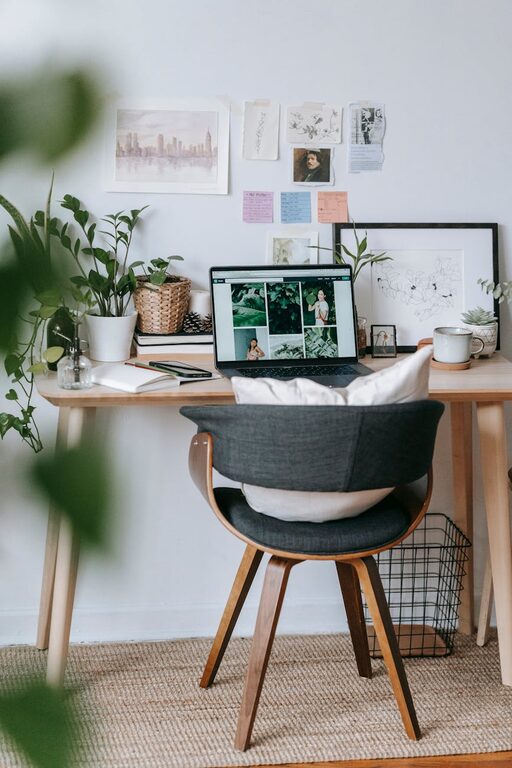
Creating a home office space that feels cozy and boosts productivity can make a significant difference in your work-from-home experience. Whether you have a dedicated room or a small corner, thoughtful design can transform your workspace into an inspiring and comfortable environment. Here are practical tips to help you build a home office that supports both your comfort and efficiency.
Choose the Right Location
Selecting the right spot is the first step toward creating a productive home office.
– Assess natural light: Try to position your desk near a window to take advantage of natural daylight. This helps reduce eye strain and can improve your mood.
– Minimize distractions: Choose a quiet area away from high-traffic zones in your home to maintain focus.
– Consider space: Ensure there’s enough room for your desk, chair, and any equipment or supplies you need.
Invest in Comfortable and Supportive Furniture
The furniture you choose directly impacts both comfort and productivity.
– Ergonomic chair: Opt for a chair with good lumbar support that encourages proper posture.
– Appropriate desk height: Your desk should allow your arms to rest comfortably at a 90-degree angle while typing.
– Adjustable furniture: Consider adjustable desks or chairs to switch between sitting and standing to promote movement throughout the day.
Organize Efficiently
A clutter-free workspace helps keep your mind clear and focused.
– Use storage solutions: Shelving units, filing cabinets, and drawer organizers keep documents and supplies neat.
– Desk organizers: Trays, pen holders, and cable management tools help keep the desktop tidy.
– Regular decluttering: Set aside time each week to tidy your workspace and remove unnecessary items.
Personalize Your Space
Adding personal touches can make your home office feel welcoming.
– Decorate with meaningful items: Photos, artwork, or plants can add warmth without being distracting.
– Choose calming colors: Soft, neutral tones are soothing, while pops of color can energize the space.
– Incorporate greenery: Plants improve air quality and bring a touch of nature indoors.
Optimize Lighting
Good lighting is essential to avoid eye strain and maintain energy.
– Natural light: Maximize it, but use blinds or curtains to reduce glare on screens.
– Task lighting: A desk lamp with adjustable brightness helps illuminate work areas after dark.
– Ambient lighting: Balance with overhead lights to create an inviting atmosphere.
Technology and Equipment Setup
Proper setup keeps your work efficient and stress-free.
– Reliable internet connection: Ensure strong, stable Wi-Fi for video calls and online tasks.
– Ergonomic accessories: Use keyboard trays, monitor stands, and external mice to aid comfort.
– Cable management: Use clips or sleeves to keep cords organized and prevent tangling.
Establish Boundaries and Routine
Separating work from personal life improves productivity and well-being.
– Set work hours: Define clear start and end times and communicate them to household members.
– Create rituals: Start the day with a routine like stretching or making coffee to signal worktime.
– Take breaks: Step away regularly to avoid fatigue and maintain focus.
Keep It Clean and Fresh
A clean workspace fosters clarity and comfort.
– Daily wipe-down: Clean surfaces, keyboard, and mouse regularly.
– Ventilation: Open windows or use an air purifier to keep the air fresh.
– Scent: Use subtle essential oils or candles to create a pleasant atmosphere—just avoid strong fragrances that might be distracting.
Conclusion
Designing a cozy and productive home office combines practical elements with personal touches. By choosing the right location, investing in ergonomic furniture, staying organized, and creating a pleasant atmosphere, you can enjoy a workspace that inspires focus and comfort. Small adjustments, such as improving lighting or setting boundaries, can further enhance your work-from-home experience.
By implementing these tips, your home office will become a place where productivity and comfort thrive side by side. Happy decorating!