
Simple Tips for Organizing a Clutter-Free Workspace at Home

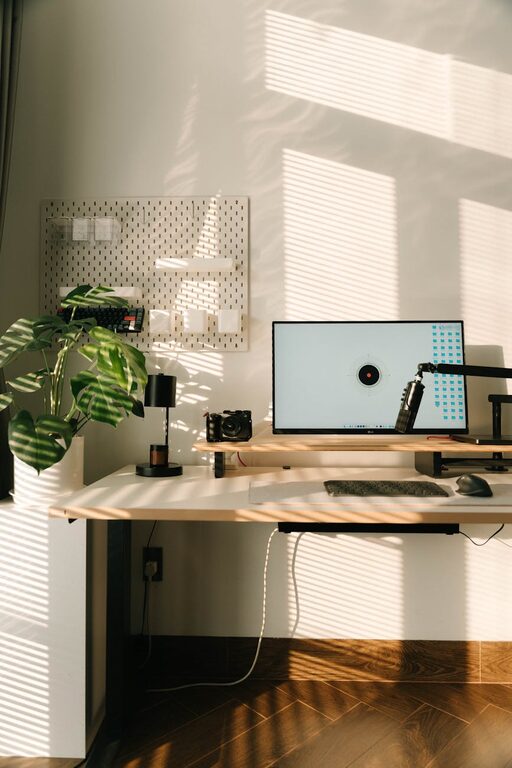
Creating a clutter-free workspace at home is essential for maintaining focus, reducing stress, and improving productivity. Whether you work remotely full-time or occasionally need a comfortable spot to handle tasks, having an organized environment can positively impact your workday. In this post, we’ll explore simple tips to help you organize your home workspace efficiently.
Why a Clutter-Free Workspace Matters
Clutter can be distracting. When your desk is piled with papers, gadgets, and miscellaneous items, it’s harder to concentrate. A clean and organized workspace invites clear thinking and helps streamline your workflow. Plus, it sets a professional tone if you have video calls or meetings.
Step 1: Choose the Right Location
Select a space in your home with minimal distractions and enough natural light if possible. A corner in the living room, a spare bedroom, or even a dedicated nook can work well. The key is to have a spot that’s exclusively for work to mentally separate it from the rest of your home life.
Step 2: Declutter Ruthlessly
Before organizing, clear everything off your desk and sort through it. Here’s a simple method:
– Keep: Essential items you use daily like your computer, notepad, or a favorite pen.
– Store: Items you need occasionally but not every day, such as reference books.
– Discard or Donate: Anything broken, redundant, or no longer useful.
– Relocate: Items that don’t belong in your workspace, like kitchen utensils or children’s toys.
Getting rid of excess keeps only the necessary things close at hand.
Step 3: Use Storage Solutions Wisely
Storage helps keep your desktop clear and your supplies within reach.
Desk Organizers
Choose organizers with compartments for pens, sticky notes, paper clips, and charging cables. This prevents clutter from accumulating in random piles.
Shelves and Cabinets
If you have space, install floating shelves or use a small filing cabinet. Store paperwork, books, and extra supplies here so your desk surface stays open.
Drawer Dividers
These are perfect for segmenting items within your drawers—no more digging around for small gadgets.
Step 4: Set Up an Efficient Workflow
Design your workspace so frequently used items are closest to you. For example, position your computer or laptop directly in front, keep your notepad nearby, and place your printer or scanner within arm’s reach but off the main desk area.
This reduces unnecessary movement and saves time during busy days.
Step 5: Adopt Digital Organization
Reduce paper clutter by switching to digital tools:
– Use apps for note-taking and task management.
– Scan important documents and store them securely on your computer or cloud services.
– Go paperless with bills and subscriptions wherever possible.
This approach helps keep your working area physically cleaner and your files more accessible.
Step 6: Establish Daily Tidying Habits
Organizing once isn’t enough. Take a few minutes at the end of each day to:
– Put away supplies and papers.
– Clear your desk surface.
– Organize cords and electronic devices.
These habits prevent clutter from building up and maintain your workspace in good condition consistently.
Step 7: Personalize Thoughtfully
Add personal touches like a small plant, a photo frame, or a motivational quote—but keep them minimal. A few well-chosen items can make your workspace inviting without causing distraction.
Step 8: Manage Cable Clutter
Cables can look messy quickly. Use cable ties, clips, or sleeves to bundle wires together. Position power strips out of sight but within reach. This not only improves appearance but also reduces tripping hazards and confusion.
Step 9: Invest in Quality Ergonomics
While not directly related to clutter, an ergonomic chair and desk setup prevent discomfort which can distract from your work. Comfortable furniture encourages a productive mindset and reduces fidgeting that might cause disorganization.
Step 10: Regularly Reassess Your Setup
Your needs might change over time, so check your workspace every few months to:
– Remove items no longer needed.
– Rearrange for better functionality.
– Deep clean surfaces and storage areas.
Keeping your workspace fresh helps maintain a productive, clutter-free zone.
—
Final Thoughts
A clutter-free workspace is achievable with a little planning and daily care. Focus on keeping only what you need, using smart storage solutions, and developing a routine to maintain order. A well-organized home workspace not only enhances your work efficiency but also contributes to a calmer and happier day.
Try these simple tips, and enjoy the benefits of a tidy, welcoming area where your best work can happen!