Tips for Creating a Relaxing Home Workspace to Boost Productivity and Comfort

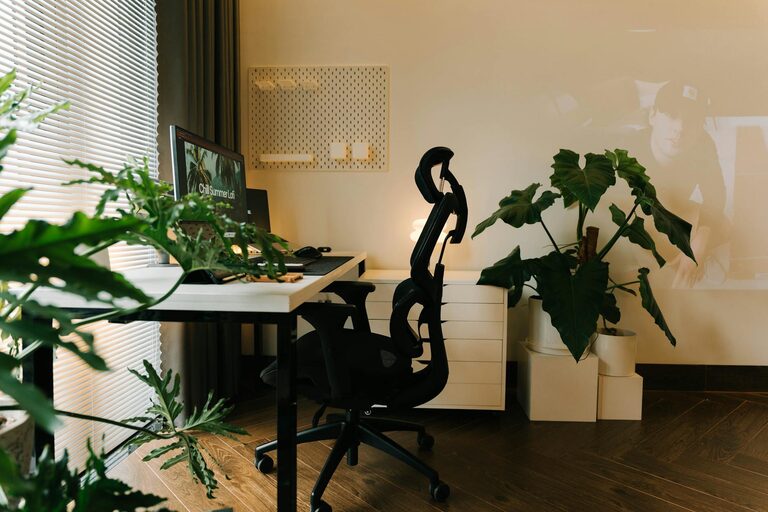
Creating a relaxing home workspace can significantly improve your productivity and overall comfort, making work-from-home days more enjoyable and efficient. Whether you have a dedicated room or a small corner, setting up a space designed for calm and focus is essential. Here are practical tips to help you create a workspace that supports both relaxation and productivity.
Choose the Right Location
Find a Quiet Spot
Select an area in your home that experiences minimal noise and distractions. This can be a spare room, a nook near a window, or even a less-used dining room corner. The quieter your space, the easier it is to focus.
Consider Natural Light
Natural light has a positive impact on mood and energy levels. Position your desk near a window to benefit from daylight. If natural light is limited, choose soft, warm artificial lighting that reduces eye strain.
Invest in Comfortable Furniture
Select an Ergonomic Chair
A comfortable, supportive chair is key to avoiding back and neck pain. Look for options that offer adjustable height, lumbar support, and cushioned seating.
Choose a Suitable Desk
Your desk should have enough surface area for your computer, paperwork, and any other essentials. Adjustable desks that allow you to switch between sitting and standing can also promote comfort and health.
Keep It Organized
Use Storage Solutions
Clutter can cause stress and reduce productivity. Use shelves, filing cabinets, or desk organizers to keep supplies and documents tidy and accessible.
Create a Cable Management System
Tangled cords can be distracting and untidy. Invest in cable clips, sleeves, or boxes to keep wires neat and out of sight.
Personalize Thoughtfully
Add Soothing Decor
Incorporate elements that make you feel calm, such as plants, calming artwork, or gentle colors like soft blues and greens.
Use Aromatherapy
Consider a small diffuser with essential oils like lavender or eucalyptus to promote relaxation without overwhelming the senses.
Enhance Focus and Relaxation
Incorporate Break Areas
If space allows, create a small corner with a comfortable chair or cushion where you can take short breaks to stretch or relax.
Use Background Sounds Wisely
Playing soft instrumental music or ambient sounds can help mask distracting noises and improve concentration. Avoid music with lyrics if it disrupts your focus.
Optimize Technology Setup
Position Your Screen Correctly
Place your computer screen at eye level, about an arm’s length away to reduce neck strain and eye fatigue.
Use Quality Accessories
Invest in a good keyboard and mouse that feel comfortable during long hours of use. Wireless options can reduce desk clutter.
Maintain a Healthy Routine
Schedule Regular Breaks
Include short breaks every hour to move, rest your eyes, and refresh your mind. This helps maintain energy and prevents burnout.
Stay Hydrated and Nourished
Keep a water bottle nearby and plan healthy snacks to support sustained focus and energy.
Keep It Clean
Regularly Dust and Wipe Surfaces
A clean workspace contributes to a calming environment. Set a routine to tidy your desk and dust electronics.
Refresh Your Space Occasionally
Rearrange decor or add new plants to keep your workspace inviting and inspiring over time.
—
By thoughtfully designing your home workspace with comfort and relaxation in mind, you can create an environment that supports productivity and well-being. Small changes like improving lighting, choosing ergonomic furniture, and reducing clutter can make a big difference in how you feel and work each day. Start with these tips to build a workspace that helps you thrive at home.